Enhanced Data Retention Strategies With Cold Storage Support in Log Management
Greetings!
During audits or security incidents, organizations rely on logs to understand system activities and identify trends. However, as log volumes increase, maintaining indexed logs for longer durations can be expensive and challenging.
Recognizing this need, Site24x7 offers log storage retention add-ons for log management, enabling you to store the logs for longer durations in a cost-effective manner.
With these add-ons, you can retain log data for periods ranging from six months to five years, ensuring that critical logs are accessible using ReIndex Logs for audits, investigations, and historical analysis.
Key benefits of extended storage retention for log management
While recent logs are invaluable for troubleshooting, archived logs play a crucial role in meeting compliance and audit requirements. Extended log storage retention offers several key benefits for organizations:
- Enhanced security investigations: Rolled log data is essential for effectively investigating security incidents.
- Compliance adherence: Many regulations mandate that logs be retained for several years, and extended retention ensures compliance with these requirements.
- Root cause analysis: Access to archived logs enables thorough analysis of recurring issues, facilitating effective problem resolution.
- Enhanced auditing and governance: Maintaining comprehensive historical records supports robust auditing and governance practices.
- Long-term operational insights: Analyzing trends over time enables informed decision-making and strategic planning.
Instead of relying only on default retention periods, organizations can purchase additional storage capacity and define longer archival retention for their logs.
Purchasing the storage retention add-on is easy
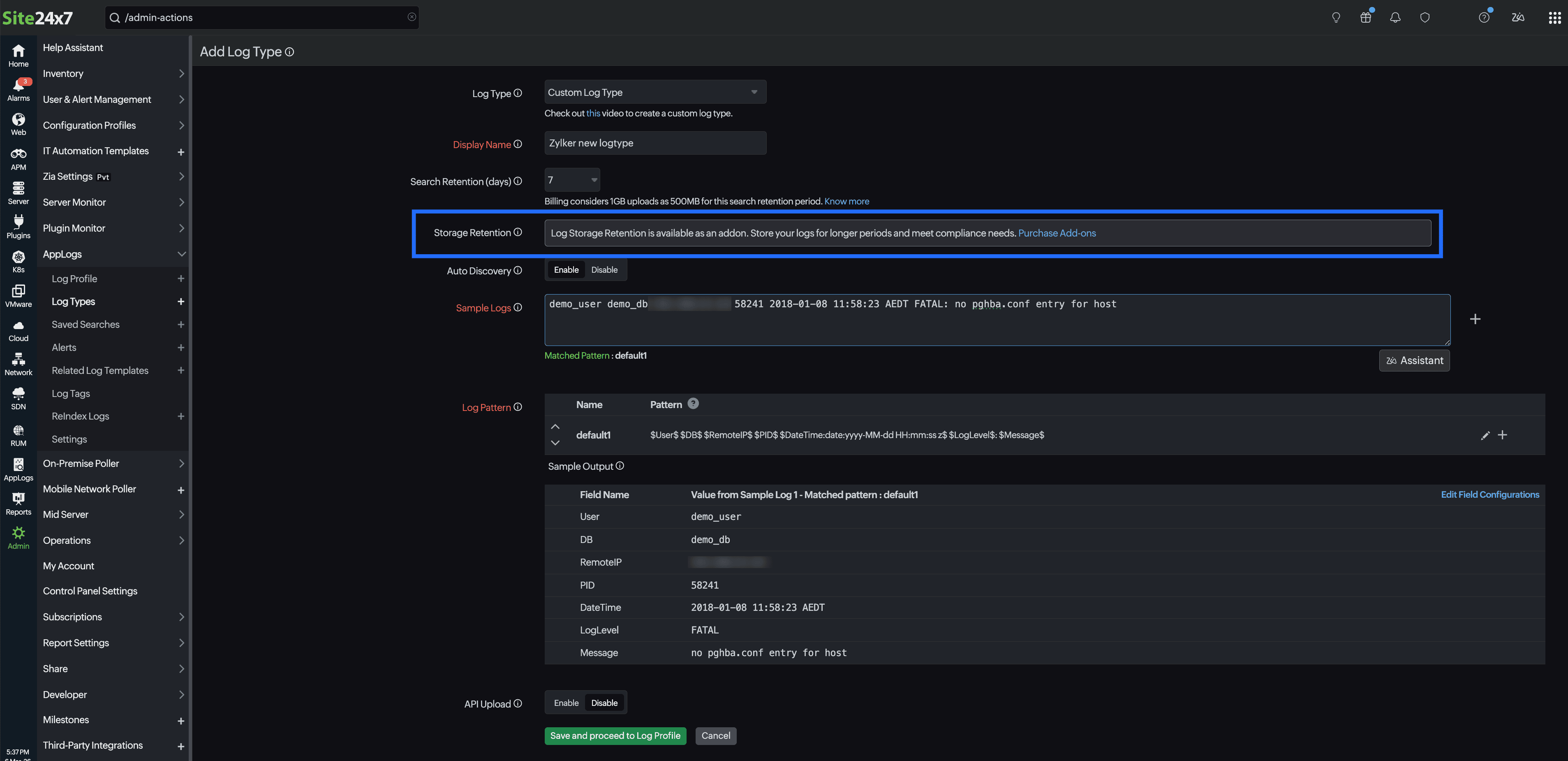
To enable log storage retention, follow the steps below:
- Navigate to Admin > AppLogs > Log Types.
- Click the Add Log Type button in the top-right corner of the page.
- Click the Purchase Add-ons link located in the Storage Retention field.
- If you have already created a log profile, then edit the log type, choose the required cold storage duration, and click Save.
Do you have any thoughts or questions? Feel free to share them in the comments below!
Regards,
The Site24x7 team
Topic Participants
Jenifer P