Review Integration Configuration Changes Before Saving
Hi everyone,
Have you ever updated a configuration only to realize later that an incorrect value was saved or an unintended field was modified? Even a small configuration error can lead to unexpected behavior and require additional troubleshooting.
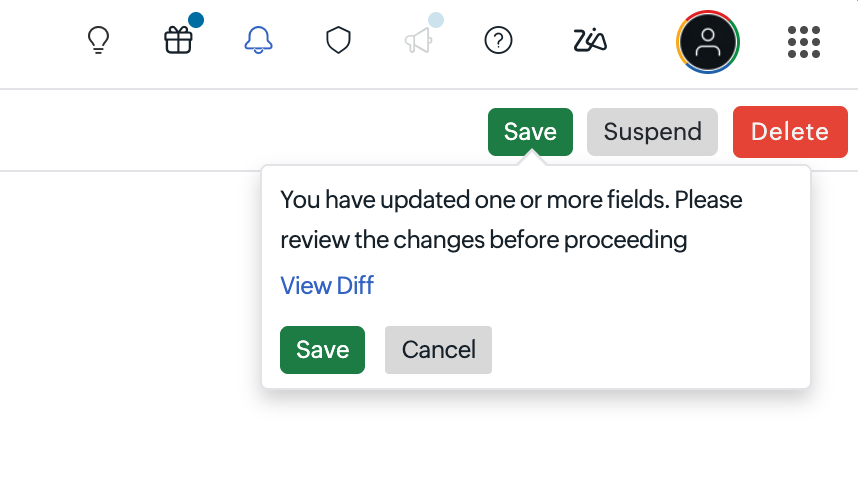
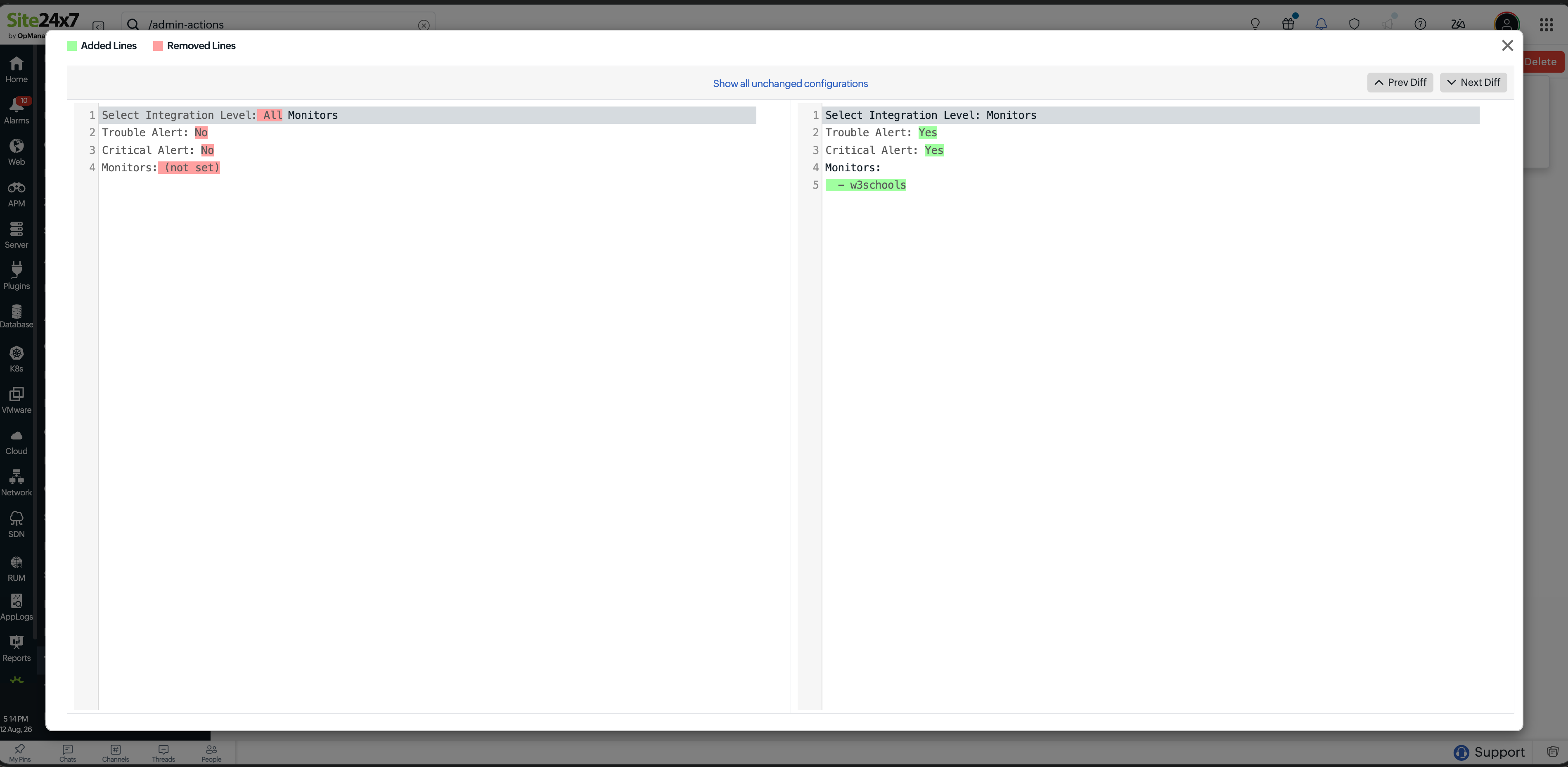
To help you validate your changes before they are applied, we've introduced a configuration review page. When you update a configuration and click Save, Site24x7 will display a confirmation pop-up with the View Diff option, allowing you to compare the updated configuration with the existing configuration before proceeding.
Key benefits
- Review all modified fields before saving.
- Compare previous and updated configuration values side by side.
- Verify configuration changes and reduce the risk of unintended updates.
How it works
- Update the required configuration fields.
- Click Save or Save and Test.
- In the confirmation pop-up, click View Diff to compare the existing and updated configuration values. Added and removed values are highlighted to help you review the changes.
- Verify the changes and click Save to apply the configuration. Click Cancel to discard the changes.
For detailed information, refer to our help documentation.
Got feedback or questions? Please share them in a comment, and our team will be happy to help.
Thank you for choosing Site24x7 and being a part of our community.
Regards,
The Site24x7 team