Set global and individual threshold setting for IIS monitors
You can configure individual and global threshold settings for metrics including application pools and sites in your IIS application monitor.
Please follow the below steps to set threshold at a global level:
- Log in and navigate to Home > Monitors > click on the icon against the IIS monitor > Select Edit

- Under Configuration Profiles, click on the pencil icon against Threshold and availability
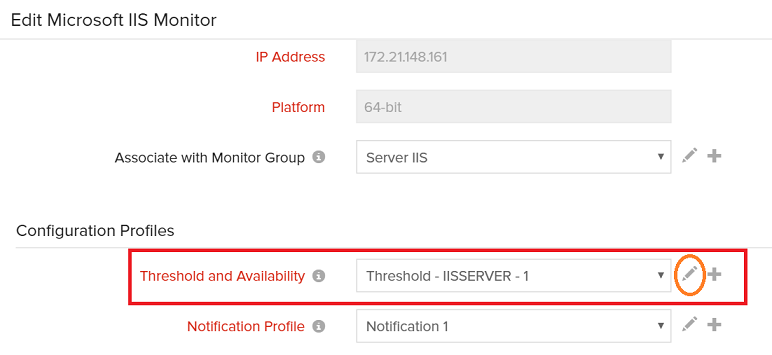
- Under Threshold Configuration > set Yes for Notify when Site/Application Pool is down
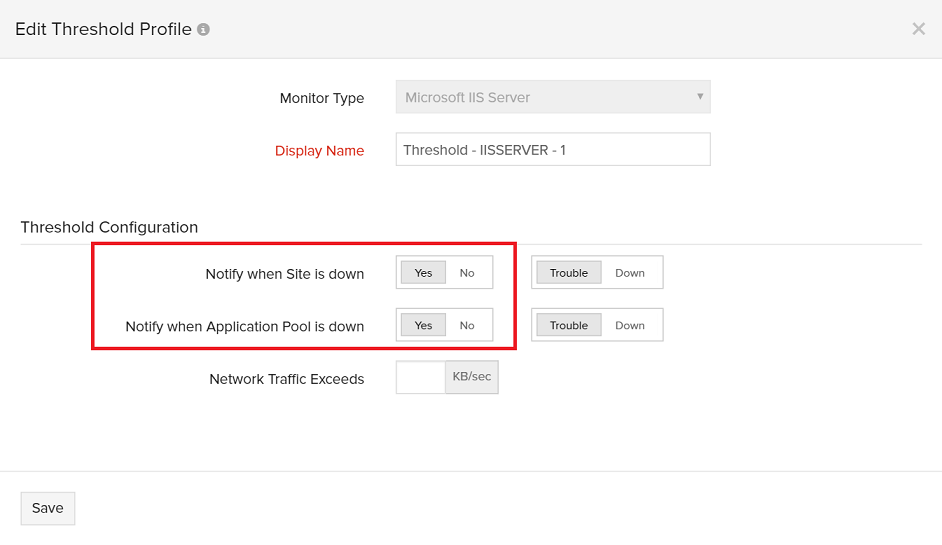
- Save your preferences
Please follow the below steps to set threshold at an individual level:
- Log in and navigate to Home > Monitors > click on the icon against the IIS monitor > Select Edit
- Under Configuration Profiles, click on the pencil icon against Threshold and availability
- Under Threshold Configuration > set No for Notify when Site/Application Pool is down
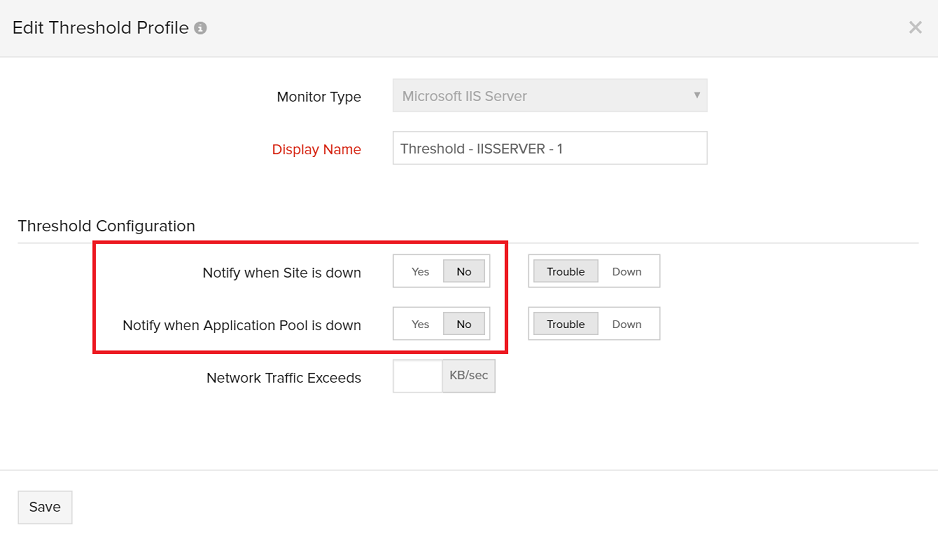
- Now, go to Home > Monitors > Select the IIS server to be configured
- Go to Sites or Application Pools tab
- Against the Site/Application Pool to be configured, click the pencil icon under Action

- Set Yes for Notify when Site/Application Pool is down

- Save the changes
Note: This is to be performed only for the Sites/Application Pools for which the user wants to be notified during trouble or down