Understanding the Site24x7 Enterprise (Pay-as-you-go) plan (FAQ)
- What is the Enterprise (Pay-as-you-go) plan?
The Enterprise (Pay-as-you-go) plan is a usage-based pricing model that lets you subscribe to Site24x7 through Azure and have your monitoring usage billed directly via your Azure account. - Who is this pricing plan best suited for?
It is ideal for customers already using Azure as it aligns with Azure’s usage-based pricing model. - Why should I choose this plan?
For Azure users, it offers usage-based billing, seamless Azure Marketplace integration, and simplified access through SSO. Users can subscribe via Azure Marketplace without a separate purchase process, with easy onboarding and logins. - How can I check my plan subscription details in Site24x7?
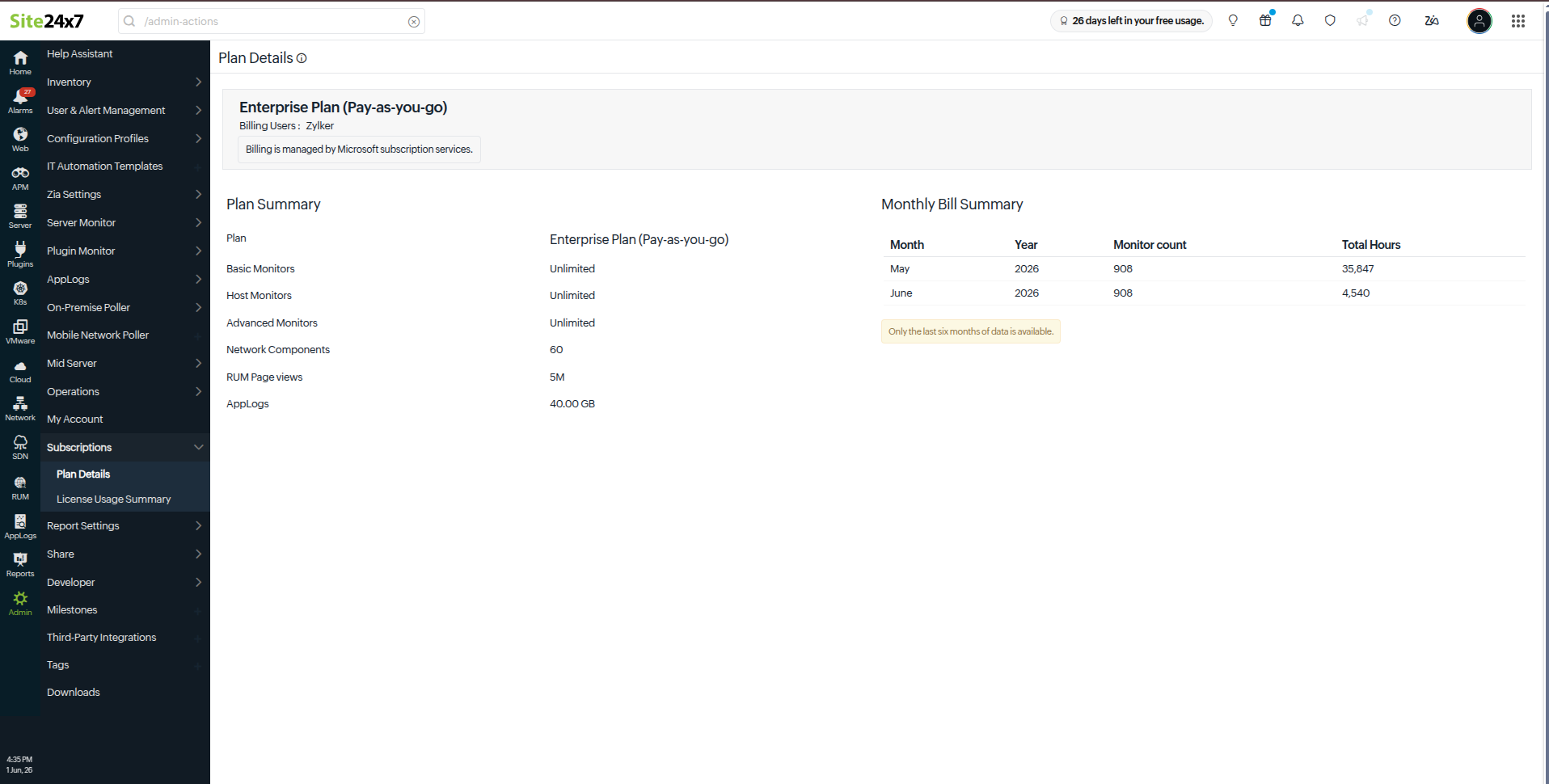
Go to Admin > Subscriptions > Plan Details to view your plan name, your license entitlements, and a summary of your recent billing.
- How can I view my billing usage?
The Monthly Bill Summary provides a month-level overview of your usage, including the total monitor count and total charged hours. - Why are only the recent months displayed in the billing summary?
The summary currently shows the last six months of billing data available. - How can I view the detailed usage for a specific month?
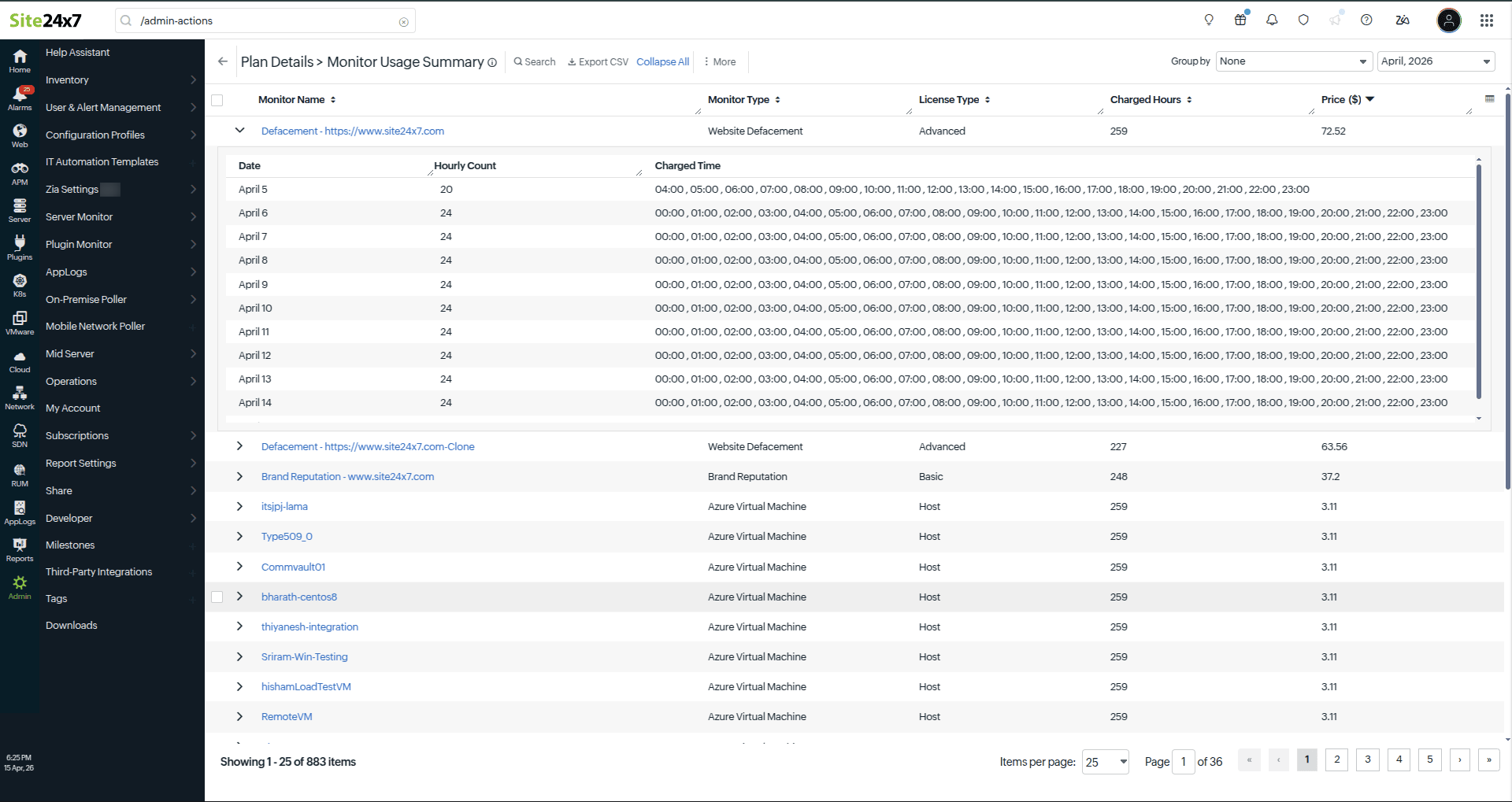
Click a month in the Monthly Bill Summary to open the Monitor Usage Summary page with detailed usage data.
- What information is available in the Monitor Usage Summary?
The Monitor Usage Summary lists all monitors billed for the selected month, including the monitor name, type, license type, and charged hours. - Can I switch between months in the usage summary?
Yes, use the month selector to view usage data for other available months. - What actions can I perform in the Monitor Usage Summary?
You can: - Search for particular monitor usage details.
- Sort the available usage data.
- Export the usage summary as a CSV file.
- Collapse multiple monitor details using the Collapse All option.
- How can I view the detailed usage for an individual monitor?
Click a specific monitor to expand it and view the date-wise usage, hourly count, and charged time slots. - Why are some monitor types shown as Unlimited under Plan Details?
Basic, host, and advanced monitors are shown as Unlimited because the user is not restricted by the count. The user is billed based on their usage. - Why do the charged hours and monitor count vary each month?
They depend on the actual usage, including monitor activity, additions, deletions, or downtime during the month. - What is hourly billing and consumption?
Hourly billing and consumption refers to the usage being measured and billed for each hour a monitor is active.
Related article