Centralized Credential Management for Web Transaction (Browser) Monitors
Hi everyone,
Managing authentication details across multiple Web Transaction (Browser) monitors can be time-consuming and error-prone. When usernames or passwords are hard-coded into individual transaction steps, routine password rotations require manual updates in every affected monitor.
In this, we’re highlighting how Credential Profile can be effectively used with Web Transaction (Browser) monitors to simplify and secure authentication management. This capability helps you centrally manage credentials and avoid manual updates across multiple transaction monitors when passwords change.
By associating a Credential Profile with your Web Transaction (Browser) monitors, both new and existing, you can update credentials once and have the changes automatically applied to all monitors. This ensures consistent authentication, reduces operational effort, and prevents monitor failures caused by outdated credentials.
Key benefits:
- Centralized credential handling: Replace hard-coded usernames and passwords with a reusable Credential Profile.
- Operational efficiency: Update credentials in one place and propagate changes across all associated monitors.
- Reliable monitoring: Avoid authentication failures during periodic password rotations.
How it works:
- When creating a new Web Transaction (Browser) monitor, credentials captured during recording can be saved as a Credential Profile and associated automatically.
- For existing monitors, you can create or reuse a Credential Profile by navigating to Admin > Configuration Profiles > Credential Profile and associate it by selecting Edit Steps or Edit Web Script to replace hard-coded values.
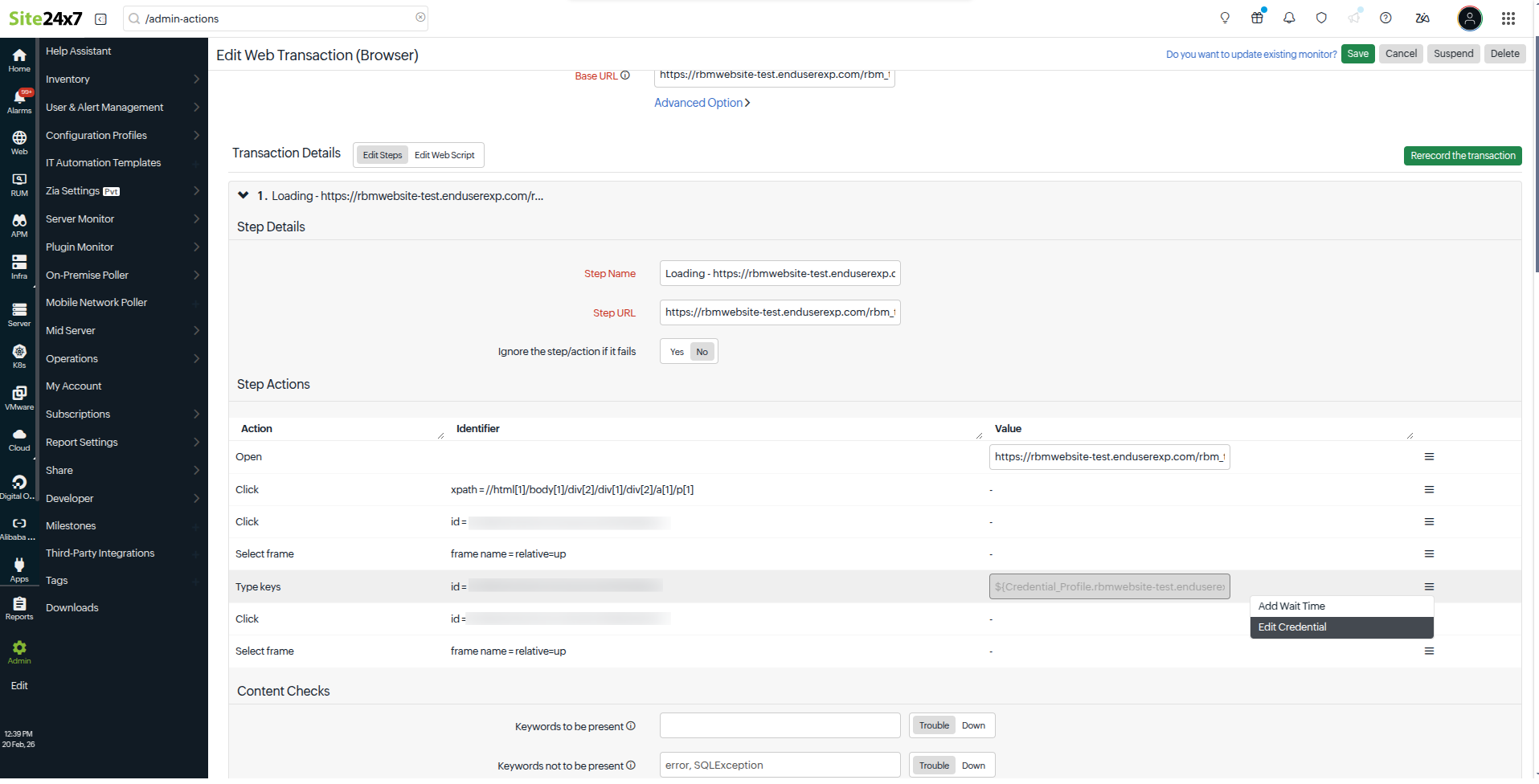
This approach helps maintain secure, scalable, and uninterrupted transaction monitoring. For detailed steps, please refer to our help documentation.
Happy monitoring!
The Site24x7 team
Topic Participants
Jyotsna R