Deliver customized alerts tailored for your third-party ITSM tools using Notification Templates
We're excited to announce Notification Templates, a flexible way to define how alerts are structured and delivered as incidents to your ITSM tools. Configure them within a Notification Profile to control alert formatting and ensure alignment with your ITSM incident templates.
How it helps
- Send alerts in the exact format your tools expect without making a single change in your third-party tool.
- Standardize notifications across all your systems for consistency.
- Cut down manual effort by managing alert customization in one place.
Getting started
- Create a notification template: Choose an incident template of your ITSM tool and define the structure and the format of your alerts.
- Set up a notification profile: Select your template within the notification profile.
- Associate to your monitors: Link the profile to the required monitors.
- Receive customized alerts: Alerts will now go out using your customized template.
This feature is available for all users, including MSPs.
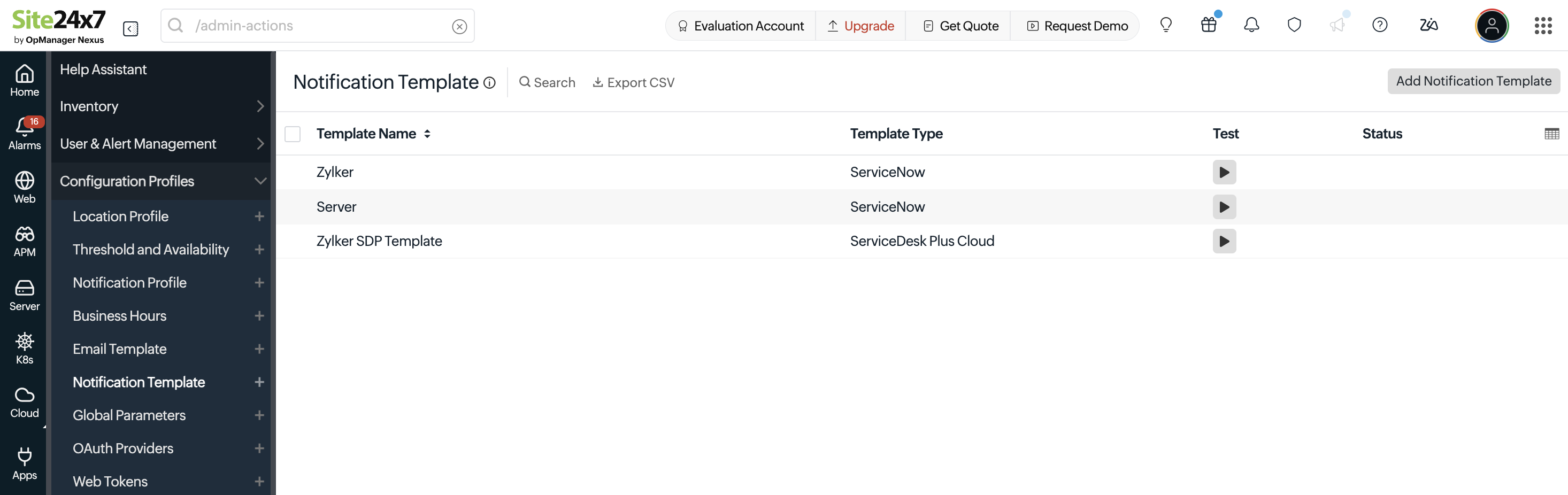
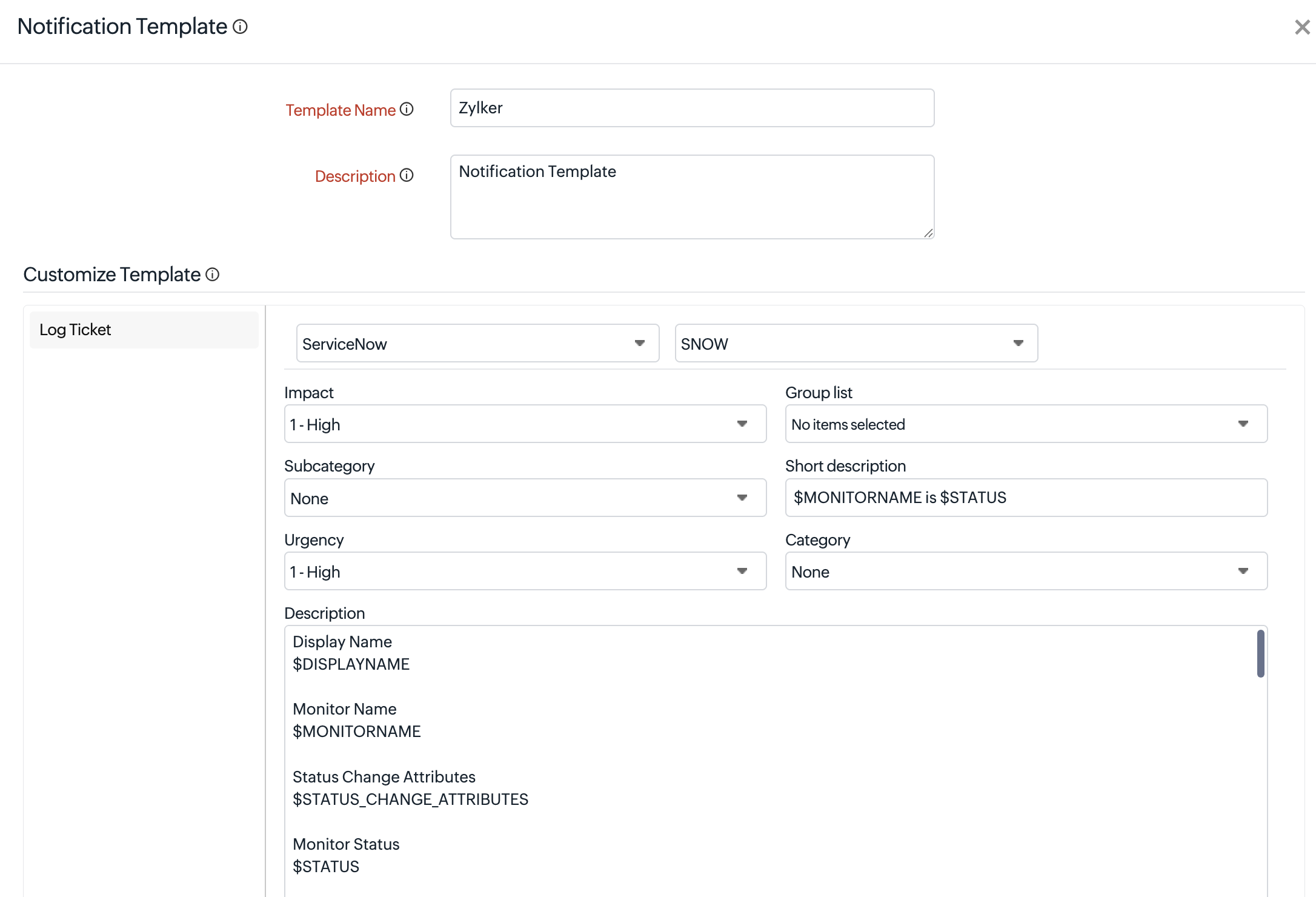
Ready to get started? Here's a step-by-step walkthrough on setting up your Notification Template.
We'd love your feedback! Drop your thoughts, clarifications, or suggestions in the comments below — our team is actively listening and here to help.
Regards,
The Site24x7 team